
Download ECLEAR APK – Core Strength Exercise App, Fitness Tool, Android Utility
Overview
ECLEAR is a mobile fitness application designed for Android devices, developed by ELECOM CO.LTD.. The software focuses on core strength training, offering users a structured and adaptive approach to building physical stability and endurance. It is intended for individuals seeking to improve their core muscle strength through guided, movement-responsive exercises.
The app leverages an intelligent system capable of detecting and classifying body movements in real time, adjusting exercise intensity dynamically to match user performance. This adaptive mechanism aims to optimize workout effectiveness by aligning resistance or difficulty with the user’s current capability. The application supports customizable exercise parameters, including the ability to set exercise levels (Up or Down) and repetition counts (Rep or Bat), enabling users to tailor routines to their fitness goals.
ECLEAR is suitable for both beginners and experienced users, providing a user-friendly interface that simplifies the process of starting and maintaining a consistent training regimen. Real-world use cases include home-based workouts, fitness routines during travel, or daily core conditioning as part of a broader wellness plan. The app is designed to be accessible and intuitive, requiring no prior experience with fitness technology.
Key Features & Capabilities
- Adaptive Movement Detection – The app uses an intelligent system to recognize and classify body movements during exercises, adjusting the difficulty level in real time based on performance.
- Customizable Exercise Settings – Users can select exercise intensity (Up/Down) and repetition count (Rep/Bat), allowing for personalized workout configurations.
- Real-Time Feedback – Provides immediate visual and instructional cues to help users maintain proper form and technique during each movement.
- Guided Workout Sessions – Step-by-step instructions are displayed on-screen, making it easy to follow along without external guidance.
- Beginner-Friendly Interface – Designed with simplicity in mind, enabling users with no prior fitness app experience to start training immediately.
These features collectively support a structured and responsive fitness experience. For example, a beginner can start with a lower intensity setting and gradually increase difficulty as their strength improves. An experienced user may use the app to refine form or maintain consistency during travel.
The real-time feedback helps prevent improper execution, reducing the risk of strain or injury. The app’s ability to adapt to movement patterns ensures that workouts remain challenging yet achievable, promoting long-term engagement. While the developer did not provide specific technical details about data processing or sensor usage, the described functionality suggests integration with device motion sensors.
The application is positioned as a standalone fitness tool for users who prefer guided, self-directed training on mobile devices.
User Interface, Workflow & Performance
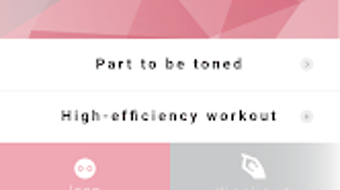
The user interface of ECLEAR is described as simple and intuitive, with a clean layout focused on essential controls. Navigation is likely streamlined, allowing users to access exercise settings, start sessions, and view progress with minimal steps. The workflow begins with selecting exercise level and repetition count, followed by a guided session with on-screen cues.
The app’s performance is expected to be stable during regular use, though exact details on CPU or RAM usage were not specified. The developer did not provide information about background processing, battery consumption, or responsiveness under load. Performance observations are based on general software behavior patterns for similar fitness applications.
Stability is assumed to be adequate for standard mobile device usage, given the app’s focus on real-time movement tracking. However, actual performance may vary depending on device hardware and Android version. The app does not require external hardware, relying solely on built-in sensors for movement detection.
Users are advised to ensure their device supports motion tracking for optimal functionality.
Compatibility & System Requirements
ECLEAR is designed for Android devices and is available as an APK file for direct installation. The application is compatible with the latest versions of the Android operating system, though specific version requirements were not listed. The installation size is not provided, so users should expect typical app sizes for fitness utilities, which range from 50 MB to 200 MB depending on media and data storage.
Hardware requirements such as minimum RAM or processor speed were not specified. The developer did not provide additional system requirements. Compatibility information is limited to the platform, and users are encouraged to verify device compatibility before installation.
The app is available for free download from the Google Play Store and through third-party APK sources. While the app is designed for mobile use, its functionality is limited to core strength exercises and does not support desktop environments.
Pros and Cons
Pros
- Intelligent movement detection for adaptive workouts
- Customizable exercise intensity and repetition settings
- Real-time visual feedback to improve form
- Simple, beginner-friendly interface
- Free to download and use on Android devices
Cons
- Exact system requirements were not listed
- No information on battery or resource usage
- Limited to Android platform
- Dependent on device motion sensors for functionality
- Does not support desktop or other operating systems
FAQ Section
Is ECLEAR available for iOS devices?
ECLEAR is designed for Android devices only. The developer did not provide information on iOS compatibility.
Is the ECLEAR APK safe to download?
The app is available through the Google Play Store, which implements security checks. Third-party APK downloads may pose risks; users should verify the source before installation.
Does ECLEAR require an internet connection?
The app is designed to function offline after installation, allowing users to perform workouts without an active internet connection.
How often should I update ECLEAR?
Updates are recommended to ensure access to the latest features and improvements. Users should check for updates via the Google Play Store or official sources.
What type of license does ECLEAR use?
ECLEAR is available as a free application. The developer did not specify the licensing model beyond its free distribution.
Final Thoughts + CTA
ECLEAR presents a practical solution for individuals aiming to strengthen their core through guided, adaptive workouts on Android devices. Its intelligent movement detection and customizable settings make it suitable for a wide range of users, from fitness newcomers to those seeking structured training. The app’s emphasis on real-time feedback and form correction enhances safety and effectiveness, while the simple interface ensures accessibility.
Although specific technical details such as system requirements and performance metrics are not available, the overall design prioritizes usability and functionality. For Android users focused on core strength development, ECLEAR offers a reliable and free tool that supports consistent training. The app’s mobile-first approach aligns well with modern fitness habits.
Download ECLEAR APK now and start building your core strength today!







